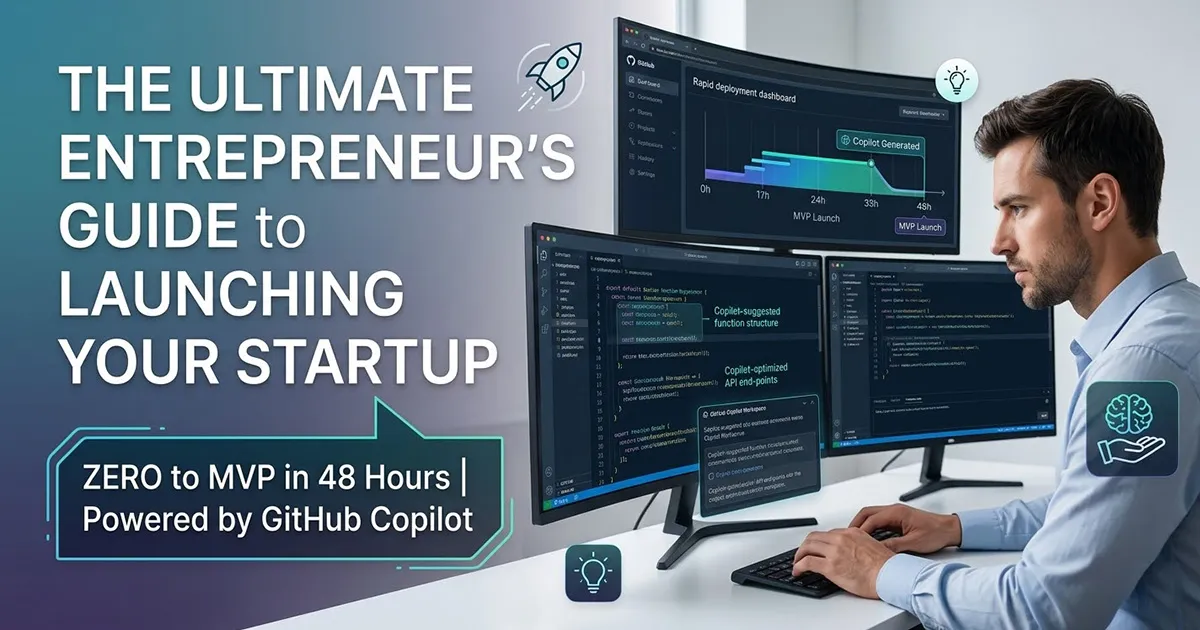
Zero to MVP in 48 Hours: Building a Web App with GitHub Copilot (No Coding Required)
You have a brilliant business idea keeping you awake at night, but you are paralyzed by the technical execution. You are not a software engineer, and the thought of navigating server deployments, programming languages, and complex databases feels entirely overwhelming. You are likely facing what the industry calls the "Build Barrier"—that frustrating purgatory where your vision is clear, but you lack the technical co-founder or the massive budget required to hire a development agency.
I have spent over 15 years in the web development sector, and I have watched countless non-technical founders abandon incredible ideas simply because they could not afford to build them. The traditional route requires you to painstakingly translate your business logic to a team of engineers. This translation layer is historically fraught with friction, leading to expensive misunderstandings and months of delayed timelines.
However, the rules of software development have completely changed. I am here to tell you that achieving Zero to MVP in 48 Hours: Building a Web App with GitHub Copilot is no longer a futuristic fantasy; it is a practical reality. You do not need to learn how to code, and you do not need to empty your savings to validate your startup in the real world.
The Evolution of the "No-Code" Reality
When you hear "no-code," you probably think of visual drag-and-drop builders that produce clunky, unscalable websites. We are going to completely bypass those restrictive platforms. Instead, we are stepping into the era of AI-agentic development.
With tools like GitHub Copilot and its autonomous Copilot Workspace, you are not dragging buttons onto a screen. You are stepping into the role of a Chief Technology Officer, commanding an artificial intelligence to write a bespoke, enterprise-grade codebase for you. You provide the business logic in plain English, and the AI translates your vision into functional, deployable architecture.
To understand why this is revolutionary, we need to compare the two dominant approaches available to non-technical founders today.
| Feature | Traditional Visual No-Code Builders | AI Code Generation (GitHub Copilot) |
| Development Style | Visual drag-and-drop interface within a proprietary closed system. |
Natural language prompting that generates standard, exportable code. |
| Scalability | Highly limited; you are constrained to the platform's servers and templates. |
Unlimited; you own the underlying codebase and can migrate to any cloud. |
| Custom Features | Restricted to available plugins or basic API integrations. |
Fully customizable; the AI writes bespoke logic for your exact needs. |
| Long-Term Asset | You own a subscription to a platform. |
You own a valuable, independent software asset (intellectual property). |
Phase 1: Setting Up Your Environment (Without the Command Line)
The very first hurdle most non-technical founders fail to clear is setting up a local development environment. Installing language versions, managing terminal path variables, and resolving dependency conflicts on your physical laptop is a nightmare for beginners. We are going to skip this entirely by moving to the cloud.
GitHub Codespaces is a technology that allows you to run a full, high-powered coding environment directly inside your standard web browser. You do not need to install anything on your computer, and you do not need to open a terrifying black terminal window.
Here is exactly how you launch your environment using only graphical clicks:
-
Log into your free GitHub account and click the "+" icon to create a "New repository".
-
Name your project (e.g.,
my-startup-mvp), check the box to "Add a README file", and click "Create". -
On your new project page, click the green "Code" button, switch to the "Codespaces" tab, and select "Create codespace on main".
Within a few minutes, a powerful version of Visual Studio Code will load right in your browser tab. Behind the scenes, GitHub provisions a dedicated server just for you.
Later, your AI assistant will generate a .devcontainer file to automate all tool installations. This guarantees your environment is perfectly reproducible. If you ever need to close your laptop, you can log back in from anywhere and pick up exactly where you left off.
Phase 2: Writing Epic Architectural Prompts
Once your environment is running, you must communicate with GitHub Copilot Workspace. The biggest mistake new users make is writing weak, vague prompts like "build me a social media app". AI is incredibly powerful, but it requires highly specific, structural parameters to succeed.
You need to provide what the industry calls an "Epic Architectural Prompt". This is a comprehensive command that dictates the technology stack, the data handling rules, and the design constraints. For a modern, high-performance web application, we are going to instruct the AI to use Next.js 15, the App Router, and Tailwind CSS.
Here is an example of a bulletproof architectural prompt you can copy and paste: "Act as a Senior Software Architect. Initialize a new Next.js 15 application using the App Router, TypeScript, and Tailwind CSS. The core feature is a dynamic landing page with a hero section that communicates our value proposition. Implement user authentication utilizing Clerk, ensuring all protected routes redirect unauthenticated users to a sign-in page. Default entirely to Server Components for data fetching to maximize performance, and only use Client Components for interactive UI elements. Do not use legacy routing syntax."
By providing this level of detail, you prevent the AI from hallucinating outdated libraries or making poor structural choices. You are establishing strict guardrails that force the AI to write clean, modern code.
The Golden Rule When building your Minimum Viable Product (MVP), you must ruthlessly avoid the "Kitchen Sink" trap. Do not command the AI to build a product that solves five different problems. Every extra feature you add increases the chance of bugs and delays your launch. Identify your users' single greatest pain point and build the "One-Pain" solution. If your app does not solve one specific problem perfectly, nobody will stick around for the peripheral features.
Phase 3: The Crucial Integration (Stripe Payments)
An MVP is merely an interactive brochure until it possesses the ability to accept financial transactions. Integrating payments is traditionally complex and fraught with security liabilities. Fortunately, we can command GitHub Copilot to architect a secure flow using Stripe Checkout and Next.js 15 Server Actions.
You will instruct the AI to build a process that never touches sensitive credit card data. First, the AI will set up your .env.local file to securely store your STRIPE_SECRET_KEY. This key allows your backend to talk to Stripe securely without exposing your credentials to the public internet.
Next, command the AI to create a Checkout Session API route. Your prompt should look like this: "Generate a Next.js Server Action to instantiate a Stripe Checkout Session for a $50 product. When the user clicks 'Buy', redirect them to Stripe's hosted secure payment page.". This completely offloads PCI compliance and security burdens to Stripe's enterprise servers.
Finally, the AI must build a "Webhook". Because the user leaves your site to pay, your app needs a way to know the payment succeeded. The AI will write a cryptographic listener that receives a secure confirmation signal from Stripe, allowing your database to upgrade the user's account automatically.
The 48-Hour Execution Sprint
Building an app with AI means development speed is no longer limited by how fast you can type code. It is limited by how quickly you can review and orchestrate logic. To launch in 48 hours, you must follow a highly disciplined execution sprint.
Hours 1 - 12: Architecture and Scaffolding. Define your core problem in one sentence. Launch your GitHub Codespace and use Copilot Workspace in "Planning" mode. Deploy your Epic Architectural Prompts to scaffold the Next.js 15 structure and install dependencies like Clerk for authentication. Do not worry about colors or visual design yet; just ensure the backend compiles without errors.
Hours 13 - 24: Core Logic and Data Flow. Instruct the AI to build your database schema and the primary mechanism of your app. If your app analyzes text, have the AI write the "glue code" connecting your system to an external AI model like OpenAI. Test your authentication flows rigorously to ensure users can log in securely.
Hours 25 - 36: Stripe Integration and Interface Synthesis. With the backend logic solid, you can finally focus on the graphical interface. Prompt the AI to generate React components styled with Tailwind CSS to match your brand. During this block, you will also integrate the Stripe Checkout flow and Webhooks, testing them with Stripe's mock credit card numbers.
Hours 37 - 48: Finalization and Cloud Deployment. The final stretch is for hardening the system. Ask Copilot to write basic error boundaries and loading states so the app feels professional. Finally, connect your GitHub repository to a modern hosting provider like Vercel. Within minutes, your AI-generated MVP will be live on the internet, ready to accept real users and real payments.
The Strategic Hook: Managing Technical Debt and Enterprise Scaling
This AI-assisted methodology is nothing short of miraculous for validating a V1 MVP. However, I need to be completely transparent with you about what happens next. When an AI generates thousands of lines of code to meet a 48-hour deadline, it invariably prioritizes rapid functionality over long-term architectural perfection.
This rapid generation introduces what we call "technical debt". In the early days, technical debt is actually a brilliant financial instrument. You are essentially taking out a loan against future engineering time to purchase immediate speed to market. If your MVP fails, you simply throw the code away, having wasted no capital.
But what happens when you succeed? What happens when your MVP goes viral and suddenly tens of thousands of users are hitting your database concurrently?
This is where AI-generated code will inevitably begin to fracture. You will encounter "epistemic debt"—a dangerous scenario where the software works, but because an AI wrote it, you have no fundamental understanding of the underlying data structures. Non-optimal algorithmic solutions will slow your servers to a crawl, and maintaining the sprawling, undocumented codebase will become nearly impossible.
Scaling beyond the MVP validation phase requires deep human ingenuity. To handle dynamic load balancing, normalize relational databases, and guarantee enterprise-grade security compliance, you cannot rely on AI prompts alone. You will eventually require a seasoned human software architect to step in, refactor the AI's prototype, and orchestrate a mature cloud infrastructure capable of enduring massive scale.
Frequently Asked Questions (FAQ)
1. Do I need to know how to use the command line terminal to use GitHub Copilot? No, you do not. By utilizing GitHub Codespaces, you can launch a fully functional, cloud-based development environment directly in your web browser. All setup and configuration can be handled through graphical clicks and automated .devcontainer files, entirely bypassing the local command line.
2. Is the code generated by GitHub Copilot secure for processing payments? While Copilot can generate highly secure code, the safest approach for payments is to offload the risk entirely. By instructing the AI to integrate Stripe Checkout, your application simply redirects the user to Stripe's highly encrypted servers to enter their credit card. Your application never touches the sensitive financial data.
3. Can GitHub Copilot build an entire, large-scale web application by itself? Copilot is an incredible accelerator for prototyping, writing boilerplate, and building MVPs, but it is not a completely autonomous senior engineer. For complex, enterprise-scale applications, you still need human oversight to manage the macro-level system architecture, make strategic technical decisions, and ensure different microservices communicate properly.
4. Will GitHub Copilot train its public AI models on my startup's proprietary idea? GitHub provides strict privacy controls for its users. According to their responsible AI policies, you can adjust your account settings to explicitly disable the collection and retention of your private prompts and codebase snippets. This ensures your startup's proprietary business logic remains strictly confidential.
5. What is the difference between an AI-generated MVP and production-grade code? AI code is optimized for rapid generation and experimentation, which is perfect for an MVP. Production-grade code, however, requires rigorous discipline, comprehensive error handling, security auditing, and performance optimization for scalability. AI can get you to market quickly, but human architects ensure you stay there securely.
Conclusion & Next Steps
You no longer have to let the "Build Barrier" keep your brilliant ideas locked inside your head. By leveraging the power of GitHub Codespaces to bypass local setup frustrations, utilizing Epic Architectural Prompts for modern Next.js 15 frameworks, and safely integrating Stripe for revenue, you possess everything necessary to launch a functional web application over a single weekend. The AI is ready to do the heavy lifting; you simply need to step up and act as the visionary director.
However, remember that an MVP is just the starting line. Once your concept is validated and users begin flooding your servers, the underlying technical debt of AI-generated code will require expert human intervention to scale securely. If you have successfully launched your MVP and are experiencing scaling friction, or if you need expert guidance to ensure your architecture can support thousands of users, do not wait for the system to break.
Take action today to secure your startup's technical future. Consult a professional web developer immediately for a comprehensive website evaluation and enterprise scaling strategy by visiting https://naimbd.com.
Further Reading
*(https://www.databricks.com/blog/hidden-technical-debt-genai-systems)
*(https://docs.github.com/codespaces/getting-started/quickstart)
*(https://vercel.com/kb/guide/getting-started-with-nextjs-typescript-stripe)
*(https://blog.secureflag.com/2024/10/16/the-risks-of-generative-ai-coding-in-software-development/)